PaintsUndo - The Drawing Process of AI-Generated Images
Try It Now
Free Online PaintsUndo
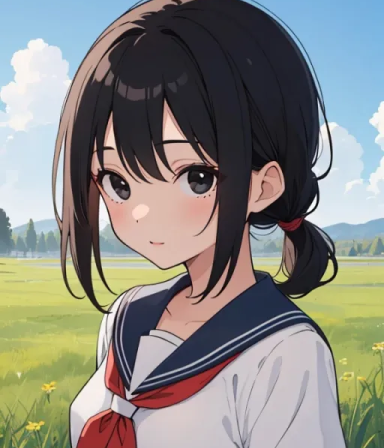
Try out PaintsUndo with the following examples
Free Online PaintsUndo
What People Says
over 10000+ happy customers. Here are some of our customer reviews.
PaintsUndo is truly an innovative AI painting project! Its ability to simulate various human drawing behaviors, including sketching, coloring, and shading, is a significant breakthrough for researching AI in artistic creation.

I appreciate the dual-model design of PaintsUndo. The single-frame model cleverly simulates the undo function, while the multi-frame model generates coherent painting processes. Using them in combination yields even better results.

As a digital artist, I'm excited about the potential of PaintsUndo. It not only helps us understand how AI 'thinks' about artistic creation but could also bring new inspiration to the creative process.

The computational requirements for PaintsUndo are indeed substantial, needing 10-12.5GB of VRAM. I hope future optimizations will make it accessible to average users.

The naming of this project is interesting, inspired by the 'undo' function in digital painting software. It really does feel like watching an artist's creation process in reverse.

PaintsUndo demonstrates the potential of AI in the art field. While it currently focuses on simulating human behavior, I look forward to seeing it develop unique 'AI artistic styles' in the future.

Frequently Asked Questions
Got a question? We've got answers. If you have some other questions, feel free to email us.
What is PaintsUndo?
PaintsUndo is an AI project that models human drawing behaviors in digital paintings. It provides base models that can simulate various aspects of the digital painting process, including sketching, coloring, and shading.
How does the single-frame model in PaintsUndo work?
The single-frame model takes one image and an "operation step" as input. It then outputs a single image that simulates the appearance of the artwork after a specified number of "undo" operations, mimicking the Ctrl+Z function in digital painting software.
What's the difference between the single-frame and multi-frame models in PaintsUndo?
The single-frame model produces one image based on a specified number of "undo" steps, while the multi-frame model generates 16 intermediate frames between two input images, creating a more consistent but less "creative" result.
What are the system requirements for running PaintsUndo?
PaintsUndo requires significant computational power. It's been tested with 24GB VRAM on Nvidia 4090 and 3090TI GPUs. The minimum theoretical VRAM requirement is estimated at 10-12.5 GB.
How long does it take to process an image with PaintsUndo?
Processing one image typically takes about 5 to 10 minutes, depending on your settings. The result is usually a 25-second video at 4 FPS, with a resolution of 320x512, 512x320, 384x448, or 448x384.
Can PaintsUndo be used to create infinitely long videos?
In theory, the system can be used to create infinitely long videos. However, in practice, the best results are achieved when the final frame count is between 100-500 frames.